For parents
Open times in the widget
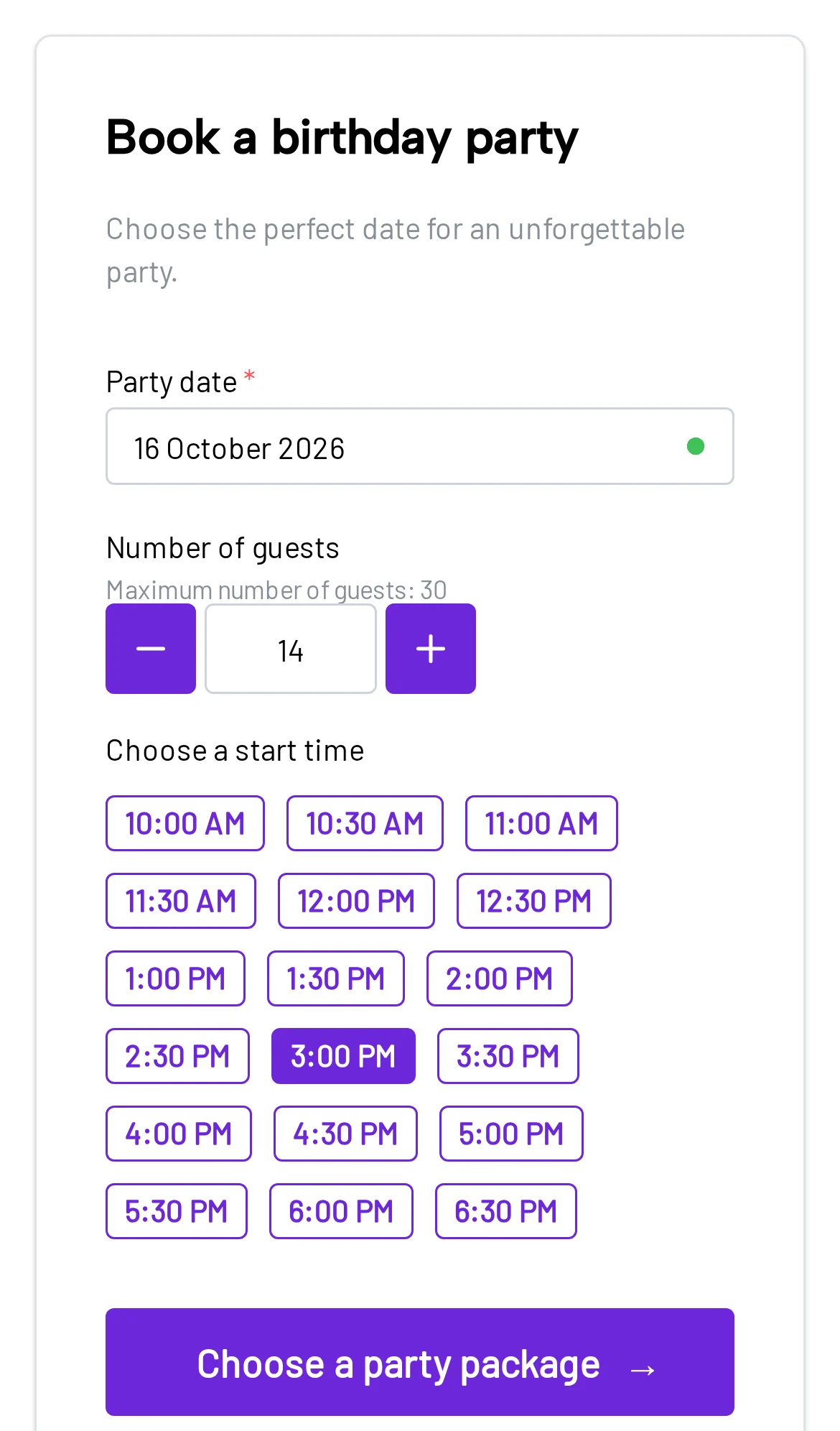
Times and availability in one place
See parties, room availability, events, and closed days in one place. Online bookings go straight into the calendar, following your venue’s rules.
14-day free trial · No setup fee · Cancel anytime
The problem
Calls, texts, a spreadsheet, and verbal holds make it hard to answer a simple question fast: “Is that time free?” Bounzee puts the plan in one place.
One process, two views
Parents never see your internal schedule. The widget only offers times with a suitable free room, and your team sees the booking on the timeline next to everything else.
For parents
For your team
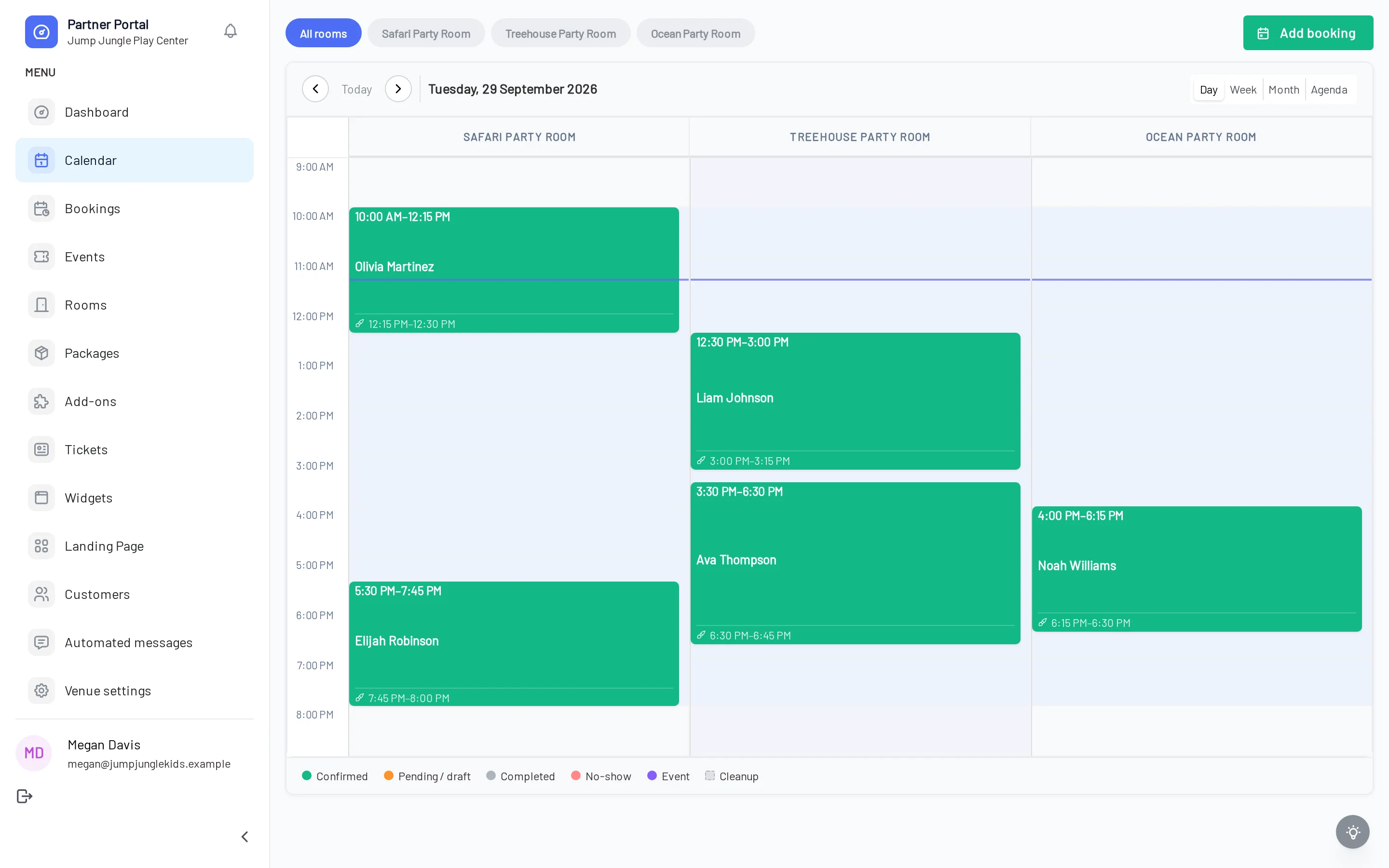
Sample data showing what the calendar displays for a booking: time, name, and room.
Availability rules
Availability isn’t a separate list of times typed into the widget. It comes from your venue setup and the bookings you already have.
What parents see
Only times you can actually take
A time disappears once no suitable room is left. If a second room is still free, Bounzee can take a parallel booking.
Rooms
Bounzee knows your rooms, their capacity, and the cleanup time after each party. Two parties can run at once in different free rooms.
Show all rooms in the calendar or filter to one. An online booking goes to a room that fits the group and is free at that time.
Close a day or a date range and add a reason, like maintenance or a holiday. A private or special event can block bookings in one room or the whole venue while it runs.
You decide what parents can book.
A parent called? Add the booking from the calendar and pick the room, time, and package. Once saved, it holds availability just like an online booking.
No separate schedule for phone bookings.
In your dashboard
The timeline shows the hours and the bookings in each room. Pick all rooms or one, and use “Add booking” for anything taken outside the widget.
No double bookings
The widget and your dashboard share the same bookings, rooms, and rules. Once a booking takes a room, that time isn’t offered again, unless another suitable room is still free.
That makes it much harder to sell the same time twice, even with several people working in the dashboard.
Before the booking
12:30 PMavailableThe next parent
12:30 PMno suitable room leftThe whole flow
Opening days, how times are offered, rooms, and cleanup time.
It checks current bookings, closed days, and blocking events.
Then a package, add-ons, and the details you need.
A draft holds the room right away and turns confirmed after payment.
Time, room, and status, with the booking one click away.
Everyone with access to the venue works from the same calendar. They can check when a party starts, which room it’s in, and its status, without comparing notes.
Coming up today
Sample data; entry types and statuses match the product calendar.
It brings together party bookings and venue events and lays them out by time and room. Switch between day, week, month, and agenda views, filter by room, and open any booking to edit it.
Yes. A booking started in the widget is saved in Bounzee and holds the time as a draft. After a successful payment, it becomes confirmed.
Yes. Times are worked out from your opening hours or fixed start times, package length, room capacity, cleanup time, closed days, existing bookings, and blocking events.
Yes. Close a single day or a date range and add a reason. A venue event can also block bookings in one room or the whole venue while it runs.
Yes. Each room is its own resource with its own capacity and cleanup time. Parties can run in parallel when Bounzee finds a suitable free room.
Yes. Open the new booking form from the calendar, choose the time, room, and package, and save the customer’s details. It goes into the same calendar.
Yes. Change the date, time, or room of an upcoming booking. Bounzee checks opening hours and conflicts with other bookings again when you save.
Yes. Invite your team to the venue. Everyone with access sees the calendar, and their role decides what else they can do in the dashboard.
Connect what parents see online with the calendar your team works from.
14 days free · No setup fee