Birthday parties
See our packages and ask about a date.
Call to check a date- call or text
- ask for a date
- pick a package
- pay
Booking on your website
Put Bounzee on the website you already have. Parents pick a date, package, and add-ons, enter their details, and pay online, without calling your front desk.
14-day free trial · No setup fee · Cancel anytime
The wildest party in town.
Pick a package and book your date online.
No rebuild
A good website can stay exactly where it is. You add a booking flow that uses the packages and availability you set up in Bounzee.
Don’t replace your website just to start taking online bookings.
Where open times come fromBefore and after
Keep the “Call us” button if you like. The widget adds a path for parents who want to check a date and book right now.
See our packages and ask about a date.
Call to check a dateCheck availability, pick a package, and book online.
Book a partyYour website stops being a brochure and starts selling, even when nobody can pick up the phone.
From setup to sale
Add rooms, opening hours, packages, prices, themes, add-ons, and the questions you ask parents.
Your dashboard generates a short snippet. Show the full widget on the page, or a button that opens it.
The widget shows open times and walks them through package, add-ons, and party details.
Bounzee saves it and puts it in your calendar. Nobody retypes anything.
With payments set up, the parent pays the full price or a deposit through Stripe.
The real product
These screens come from the live Bounzee widget, with a sample venue’s packages and prices.
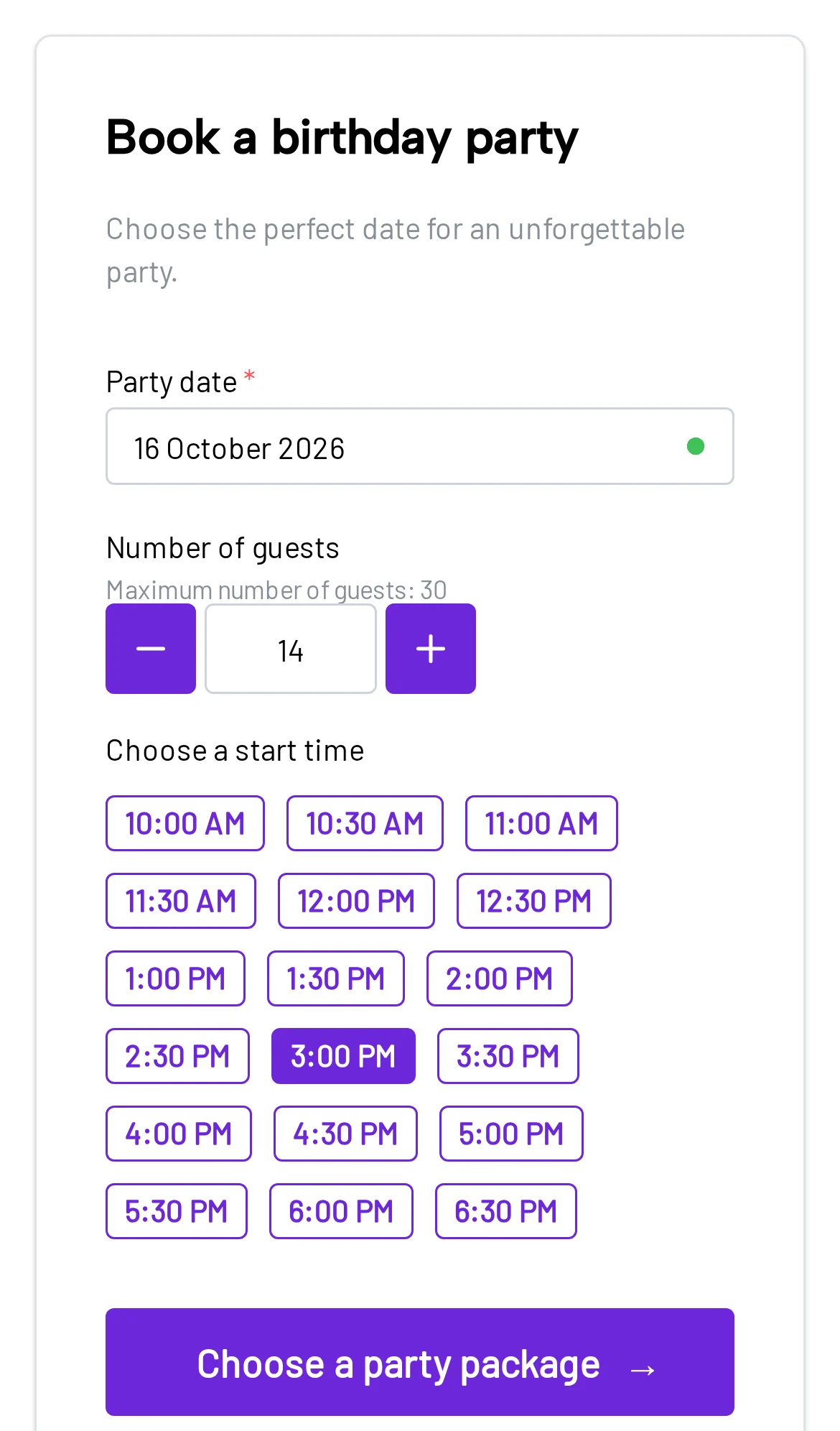
01Date and guests
The widget checks availability for the chosen date and guest count. No phone call needed.
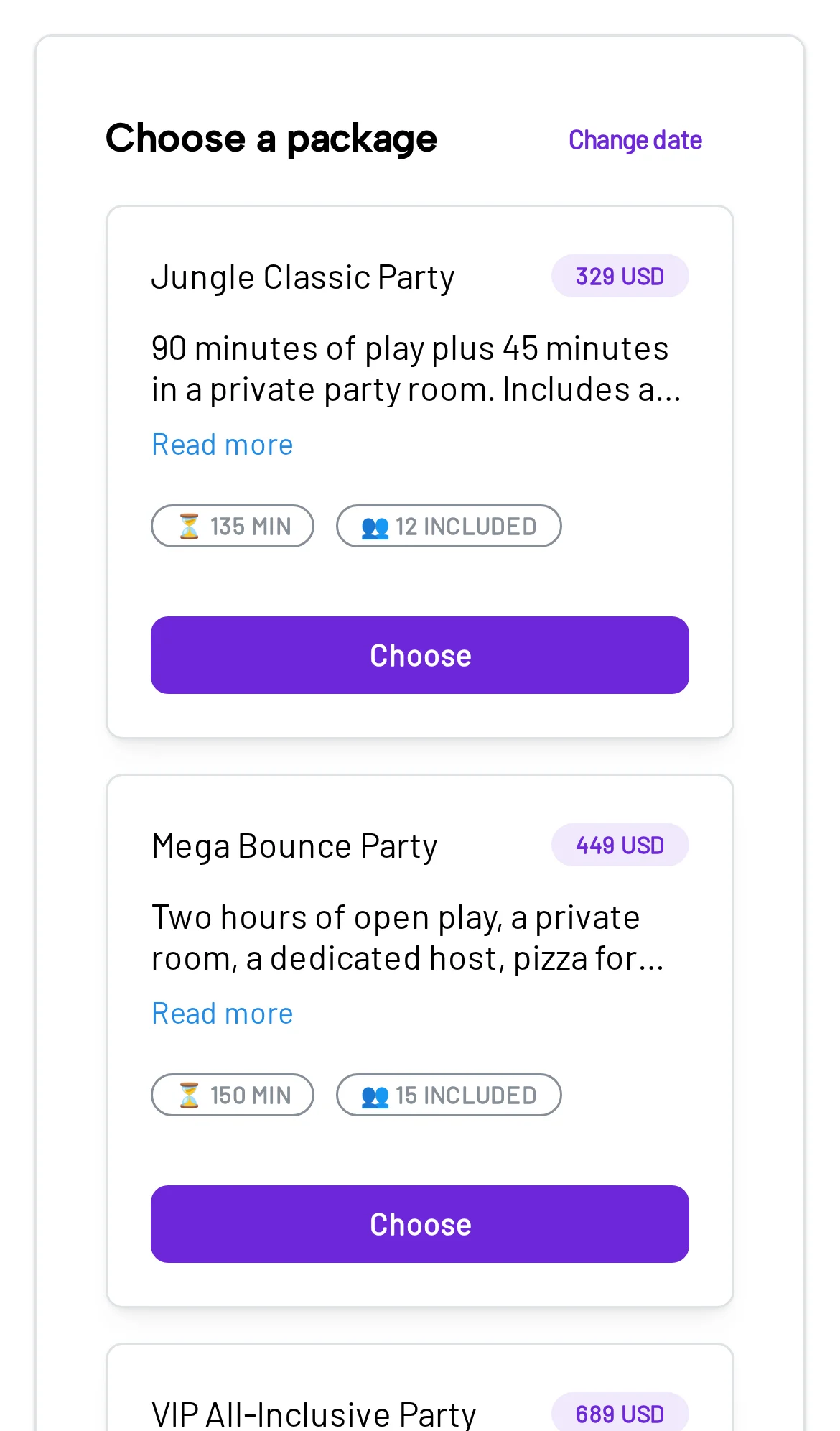
02Party package
Parents compare packages, party length, guests included, and price.
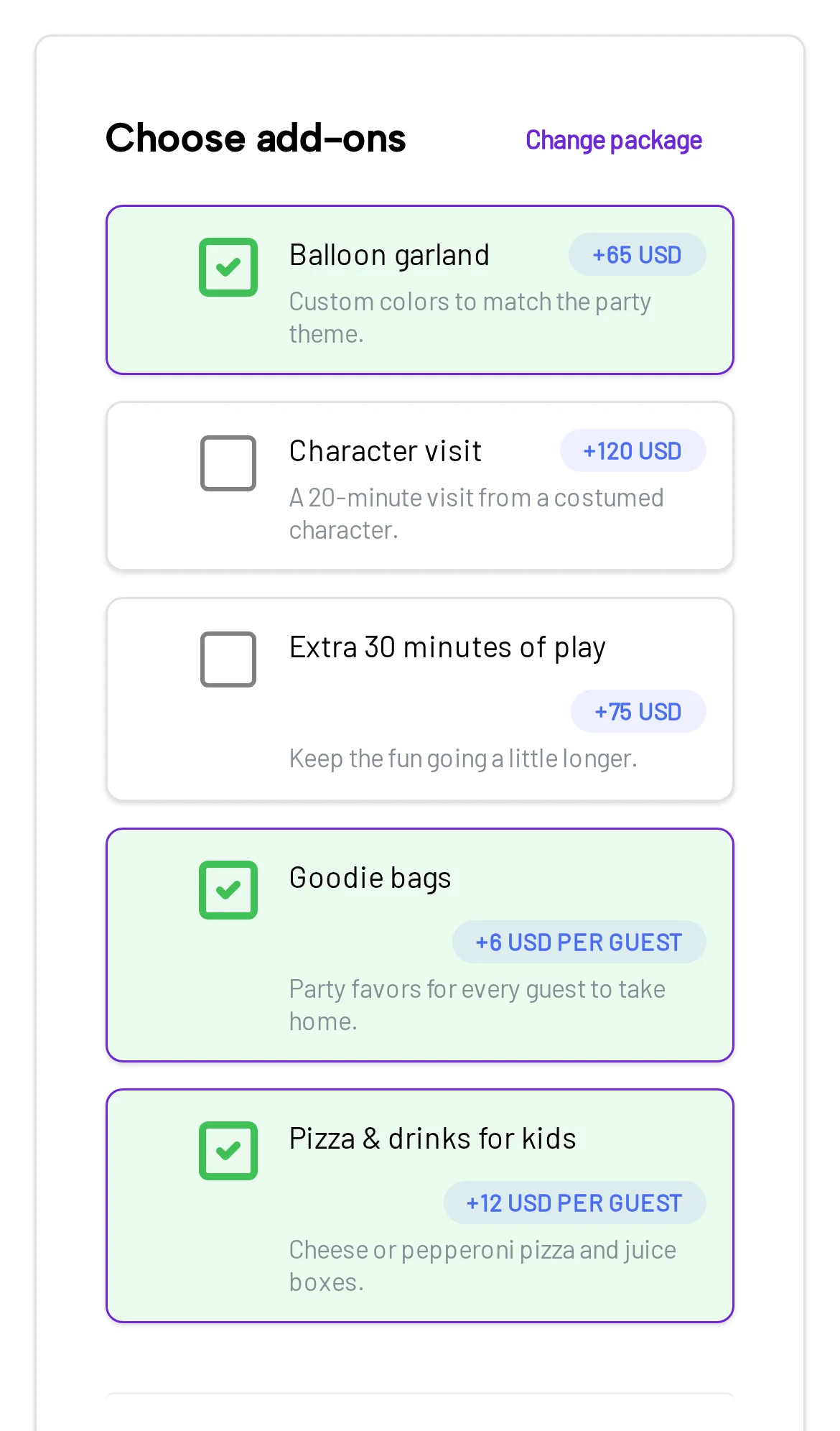
03Add-ons
Parents add food, decorations, and favors. The total updates as they go.
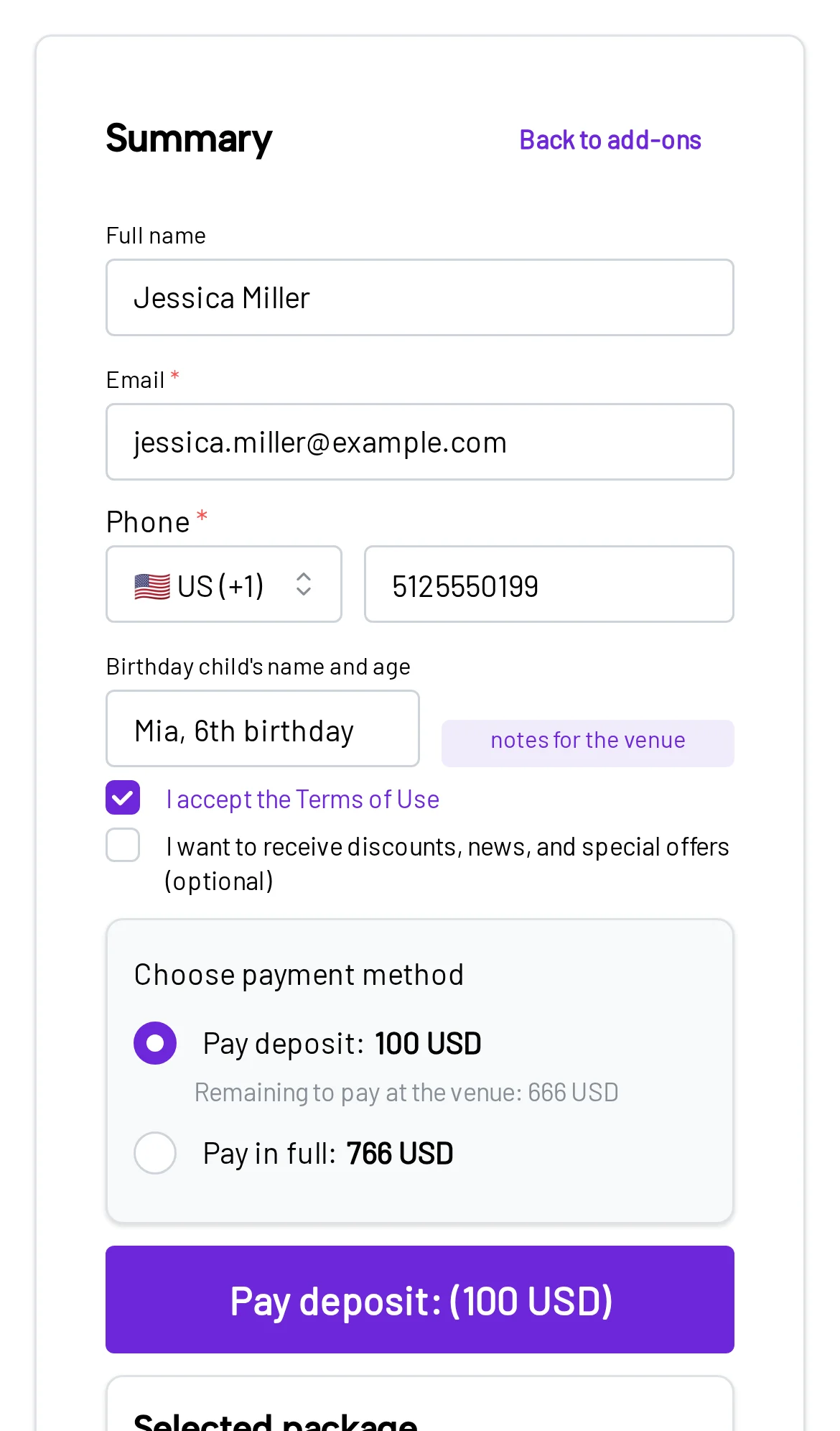
04Details and payment
Parents review the summary and pay a deposit or the full price in secure checkout.
Color, text, and display
You don’t redesign anything. Set the widget’s accent color and button text, then choose how it appears.
Your website
Ready for a birthday adventure?
Pick a package and check open dates.
Check open datesWidget settings
Parents don’t have to get back to a computer. The widget fits narrow screens, and as a pop-up it fills the phone.
Date, package, add-ons, details, and payment in the same mobile flow.
Installation
The widget works on most websites that let you add your own code. There’s no plugin to install for each website builder.
Add your rooms, offer, prices, and availability.
Choose a color, button text, and how it opens.
Your dashboard gives you a ready-made snippet.
The widget starts taking bookings there.
Keep your pages, content, and Google rankings. Add the widget where you present your parties.
It opens the Bounzee booking flow, not a separate form. The same availability, packages, payments, and calendar work behind it.
It’s the Bounzee booking flow embedded on your own website. Parents pick a date, time, guest count, package, and add-ons, enter their details, and pay online.
Yes. The widget works with WordPress, Wix, and any website where you can add HTML. It’s a code snippet, not a separate plugin.
No. If your site already presents your parties well, keep it and just add the widget.
Yes. It adapts to small screens, and when it opens as a pop-up it uses the full height of the phone. Parents can finish every step on mobile.
Yes, once online payments are set up. After booking, the parent goes to Stripe checkout and pays the full price or a deposit, based on your settings.
You can set the accent color used for buttons and highlights, and the text on the button that opens it. The widget can sit inside your page or open as a pop-up.
Straight into Bounzee. They show up in your dashboard and calendar, so nobody copies details from forms, calls, or texts.
Not if you can paste code into your website editor. If your site blocks scripts or an agency manages it, they may need to add the snippet for you.
Set up your packages, paste the widget, and let parents book parties when they’re ready to buy.
14 days free · No setup fee